A simple Markdown editor that keeps writing front and center
PlainMark keeps the interface quiet so your writing isn't — a distraction-free space for notes, drafts, documentation, README files, and articles. Any writing that should stay portable.
Plain Markdown source
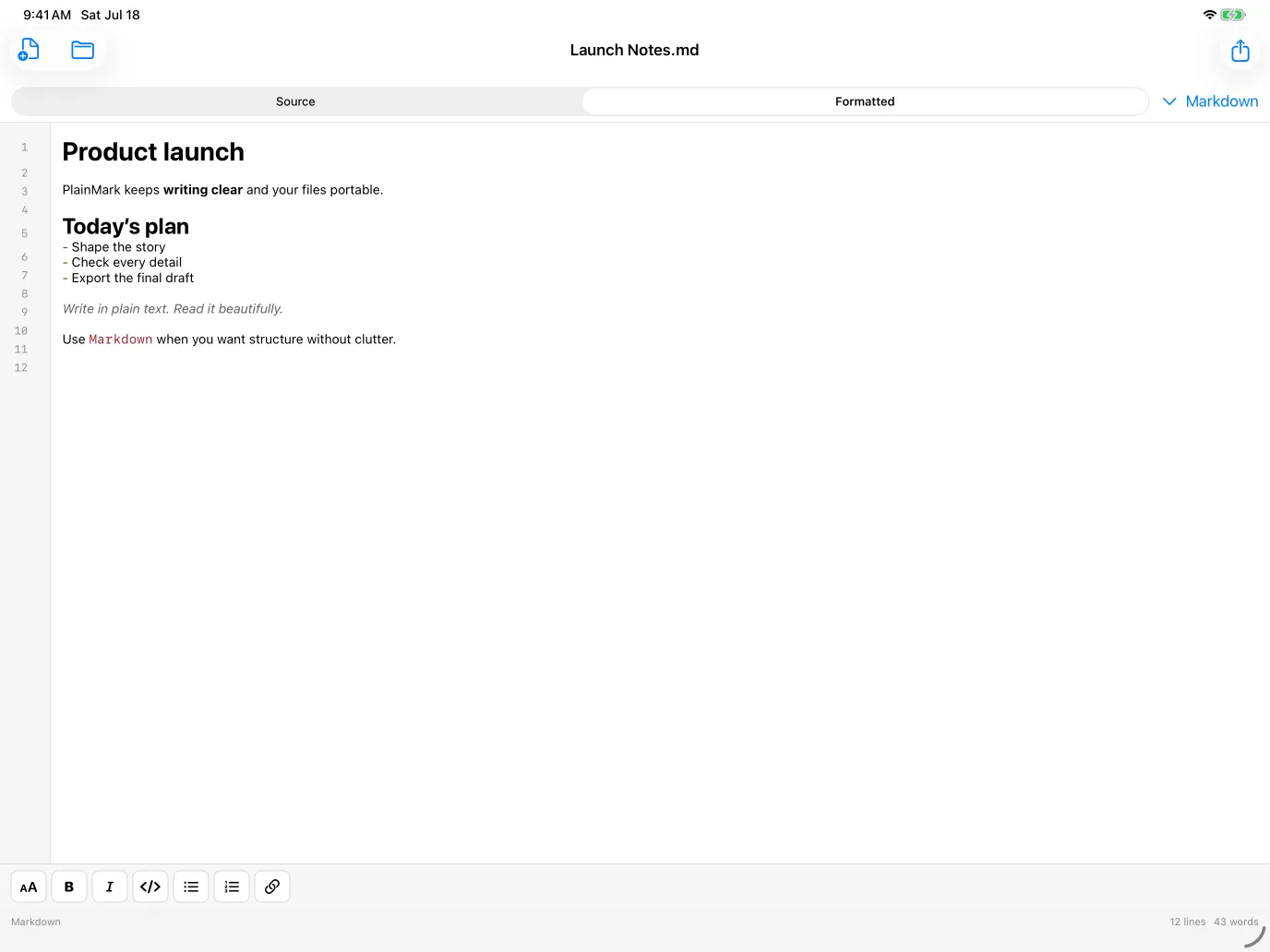
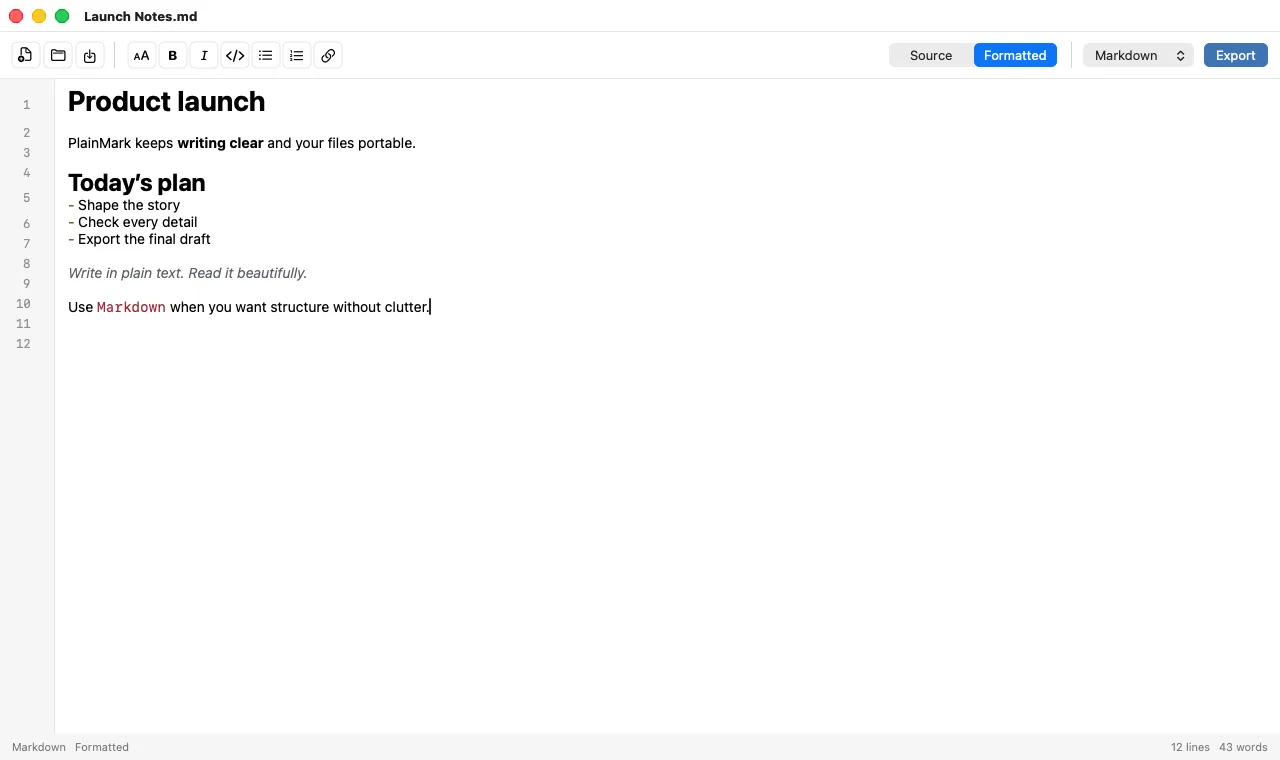
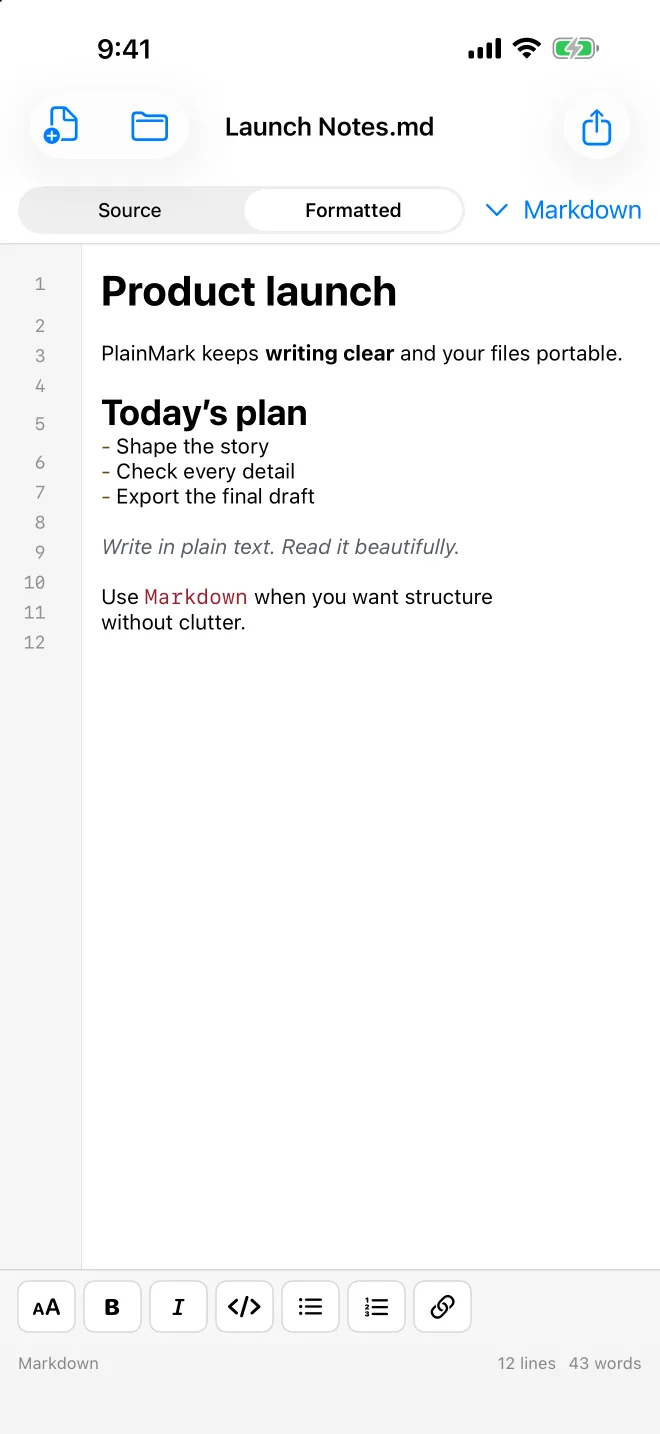
Write in readable Markdown with syntax colors, line numbers, and live document statistics. What you type is what's saved.
Source ⇄ Formatted views
Flip between clean source and a polished, Word-like formatted view instantly — same surface, same selection, same scroll position.
Native formatting controls
Headings, bold, italic, links, lists, quotes, and code inserted as clean Markdown syntax — on Mac, iPhone, and iPad.
Standard files, no lock-in
Open and save regular .md files from anywhere on your device. No proprietary library, no import ceremony, no export ransom.
Fast and native
A true native app on every platform — keyboard shortcuts and windows on the Mac, touch controls and the Files app on iPhone and iPad.
$0.99, once
One small purchase covers the app. No subscription, no account, no upsell screens between you and your writing.
From Markdown to PDF, PNG, DOCX & more
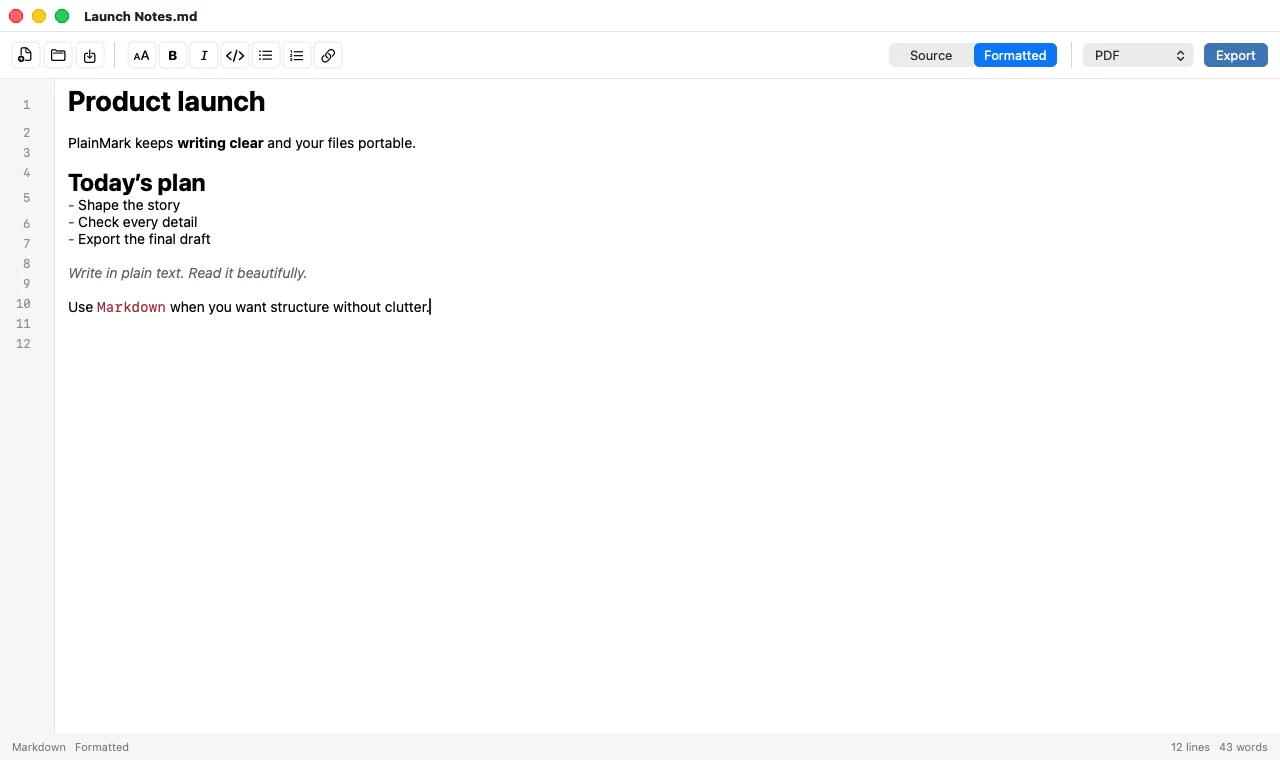
PlainMark is a Markdown-to-PDF app for your Mac, iPhone, and iPad as much as it is an editor. Everything renders from the same formatted view, so what you see is exactly what you export.
- PDF
Paginated, Letter-size documents ready to share or print
- PNG
High-resolution image of the full document
- DOCX
Word-compatible documents (Mac)
- HTML
Clean markup for the web
- RTF
Rich text for any word processor
- TXT / MD
Plain text and standard Markdown, always
An offline, private Markdown editor
PlainMark works offline, with files stored on your own device, and only shares a document when you choose to export or send it.
No account
Download it, open it, write. There is nothing to sign up for and nothing to sign in to.
No cloud lock-in
Your documents are plain files in your own storage — readable by any app, on any platform, forever.
No ads, no tracking for ads
PlainMark contains no advertising and never transmits your document contents, filenames, or file paths.
Frequently asked questions
Is PlainMark a good Markdown editor for Mac?
PlainMark is built for people who want a fast, native Markdown editor for Mac without a knowledge-base, sync service, or subscription attached. You get a clean source view with syntax colors, an instant formatted view, and export to PDF, PNG, DOCX, HTML, RTF, and plain text — for $0.99, once.
Does PlainMark work on iPhone and iPad?
Yes. PlainMark is a native app on iPhone and iPad with touch formatting controls and full Files-app import and export. It's one purchase across Mac, iPhone, and iPad.
How do I convert Markdown to PDF on a Mac?
Open or paste your Markdown into PlainMark, switch to the Formatted view to check the result, then choose Export → PDF. PlainMark produces a paginated, Letter-size PDF rendered exactly like the formatted view. You can export PNG, DOCX (Mac), HTML, RTF, and plain text the same way.
Does PlainMark work offline?
Completely. PlainMark needs no account and no connection, and works with files stored on your device. Nothing is uploaded anywhere unless you choose to share an exported document.
Is there a subscription?
No. PlainMark is a one-time $0.99 purchase on the App Store. There is no subscription, no in-app purchase, and no feature ransom.
What Markdown syntax does PlainMark support?
PlainMark supports standard Markdown: headings, bold, italic, links, ordered and unordered lists, block quotes, and inline code, with syntax coloring in the source view and clean typographic rendering in the formatted view. Files are saved as standard .md that any other tool can read.